


Download ChineseSkill – learn Chinese, Chinese pronunciation, speak Chinese, Chinese language app, ASR system, word trainer, chatbot, dictionary, language learning tool
Overview
ChineseSkill is a free Android application designed to help beginners learn how to speak Chinese effectively. The software focuses on building foundational language skills, with an emphasis on pronunciation and spoken fluency. It is tailored for individuals who have no prior experience with the Chinese language, offering a structured approach to mastering basic conversational phrases, tones, and character recognition. The app leverages an automatic speech recognition (ASR) system to provide real-time feedback on pronunciation accuracy, enabling users to correct their intonation and articulation as they practice.
Target users include language learners, students, travelers, and professionals seeking to communicate in Mandarin. The app integrates a word trainer, built-in dictionary, and interactive chatbot to simulate real-life speaking scenarios. These tools aim to reinforce vocabulary retention and improve speaking confidence. While the developer is identified as ChineseSkill, no additional details about the team or institutional background are provided. The app is intended for use on Android devices and is optimized for mobile learning, making it accessible for users on the go.
Key Features & Capabilities
- Automatic Speech Recognition (ASR) System: Analyzes spoken input to assess pronunciation accuracy and provides immediate feedback, helping users refine their tone and articulation.
- Word Trainer: Reinforces vocabulary acquisition through repetition, spaced learning, and pronunciation drills tailored to beginner-level content.
- Interactive Chatbot: Simulates conversations with native-like responses, allowing users to practice speaking in realistic contexts.
- Built-in Dictionary: Offers quick access to character meanings, pinyin, and audio pronunciations for efficient lookup and study.
- Sound and Character Database: Provides a curated collection of phonetic sounds and commonly used characters to support foundational learning.
These features work together to create a comprehensive learning environment. For example, a user can learn a new word via the dictionary, practice its pronunciation using the word trainer, and then test their fluency through a chatbot conversation. The ASR system ensures continuous improvement by identifying discrepancies in tone and clarity. This integrated approach supports active learning and long-term retention, particularly for self-paced learners.
User Interface, Workflow & Performance
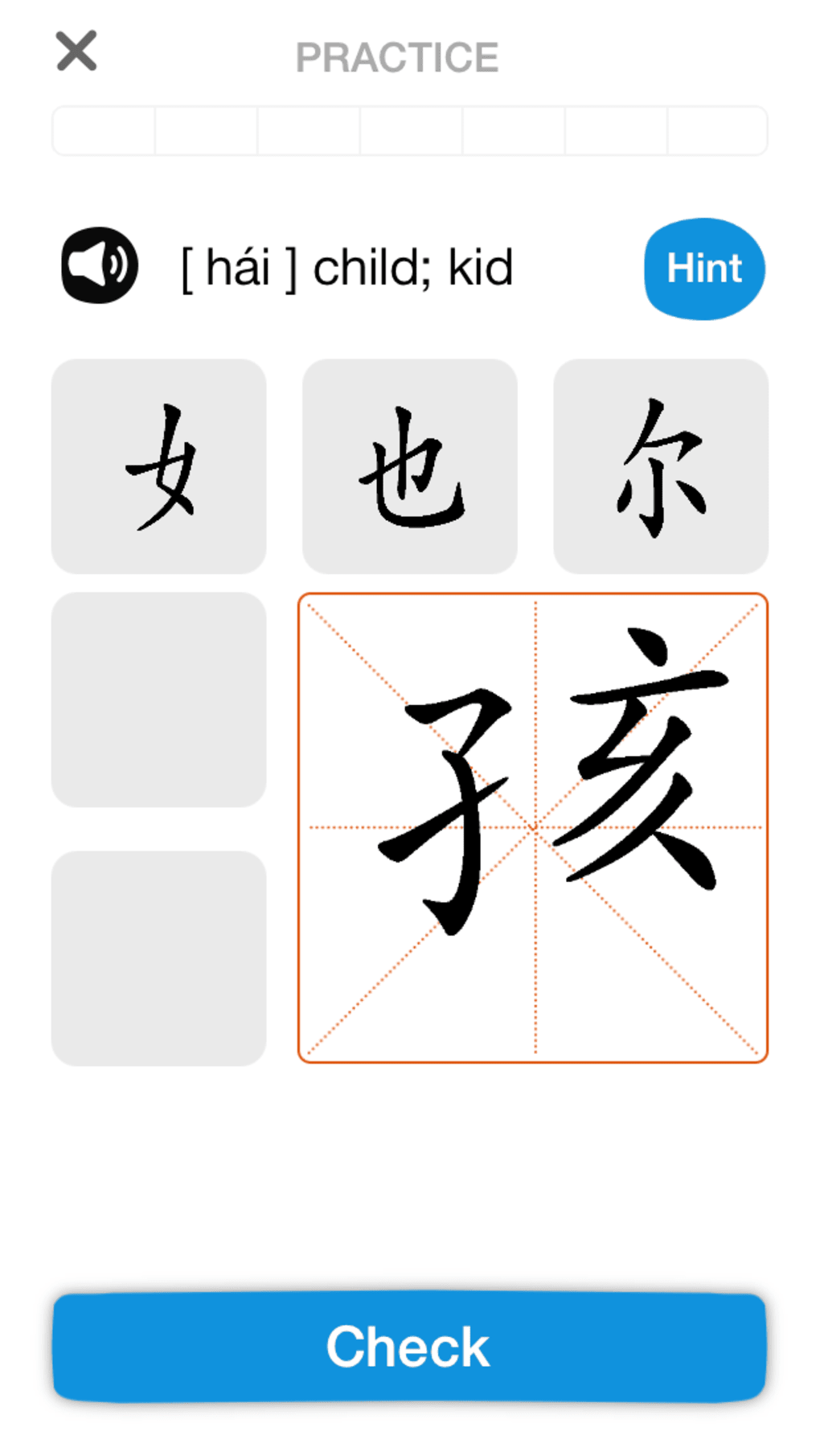
The user interface of ChineseSkill appears to be designed for simplicity and ease of navigation, with a clean layout optimized for mobile use. Core functions such as lessons, pronunciation practice, and the chatbot are likely accessible through intuitive menus or tabs. The workflow is structured to guide users through a logical progression from basic sounds to simple sentences, promoting steady skill development.
Given that the software is built for Android, it is expected to function smoothly on modern smartphones and tablets. However, exact performance details such as CPU or RAM usage were not specified. The developer did not provide additional information about stability, load times, or background processes. General software behavior patterns suggest that the app maintains responsiveness during active use, though performance may vary based on device capabilities.
Compatibility & System Requirements
ChineseSkill is designed for Android devices and was released in version 1.0.0 on April 15, 2024. The installation size is 25.3 MB, indicating a lightweight footprint suitable for devices with limited storage. While the app is confirmed to run on Android, specific OS version requirements (e.g., Android 6.0 or higher) were not listed. The developer did not specify minimum hardware requirements such as RAM or processor speed.
Compatibility information is limited to the platform and version provided. Users should ensure their device meets standard Android compatibility standards for running third-party applications. The lack of detailed system requirements means users may need to test the app directly to confirm suitability for their device.
Pros and Cons
Pros
- Free to download and use, making it accessible for budget-conscious learners.
- Includes an ASR system for real-time pronunciation feedback, enhancing learning accuracy.
- Offers a built-in dictionary and word trainer for efficient vocabulary building.
- Features an interactive chatbot to simulate speaking practice with native-like responses.
- Designed specifically for beginners with no prior knowledge of Chinese.
Cons
- No information provided about supported Android versions or hardware requirements.
- Performance and resource usage details were not disclosed.
- Limited to Android platform; no availability on iOS or desktop.
- Reliance on mobile device for full functionality may restrict extended study sessions.
- Exact content scope and lesson progression were not specified.
FAQ Section
Is ChineseSkill available for iOS devices?
Based on the provided information, ChineseSkill is currently available only for Android. There is no indication of iOS support at this time.
Is the app secure to use?
ChineseSkill is a free Android application developed by a dedicated team. While no security certifications were mentioned, the app is distributed through official Android channels, which helps ensure a secure download experience.
Does ChineseSkill require an internet connection?
While the app includes offline features like the dictionary and word trainer, the chatbot and ASR system likely require an internet connection to function properly.
How often are updates released?
The app was released on April 15, 2024. No information about update frequency or release schedule was provided.
Can I use ChineseSkill without a subscription?
Yes, the software is free to download and use. No subscription or in-app purchase requirements were mentioned in the provided details.
Final Thoughts
ChineseSkill presents a promising solution for beginners aiming to learn spoken Chinese with confidence. Its integration of an ASR system, interactive chatbot, and structured word trainer offers a modern, engaging approach to language acquisition. The app’s focus on pronunciation and real-time feedback sets it apart from basic language tools. While some technical details remain undisclosed, the core features are well-aligned with beginner learning needs.
It is particularly well-suited for self-learners, travelers, and students who prefer mobile-first education. With a lightweight design and free access, it lowers the barrier to entry for language learning. For those seeking a reliable, accessible tool to start speaking Chinese, ChineseSkill offers a solid foundation.
Download ChineseSkill now





.png)

